PRACTICAL EXCEL WORKFLOW
A repeatable daily production board workflow in Excel
Use a saved ownership map and an exception-first review to turn two daily files into one auditable board.
The fastest safe morning workflow is not another scheduling system. It is a repeatable bridge from today’s standard export to yesterday’s working board, with a short exception review before export.
Safe method
- Export the same open-jobs report each morning.
- Select yesterday’s board and today’s CSV/XLSX.
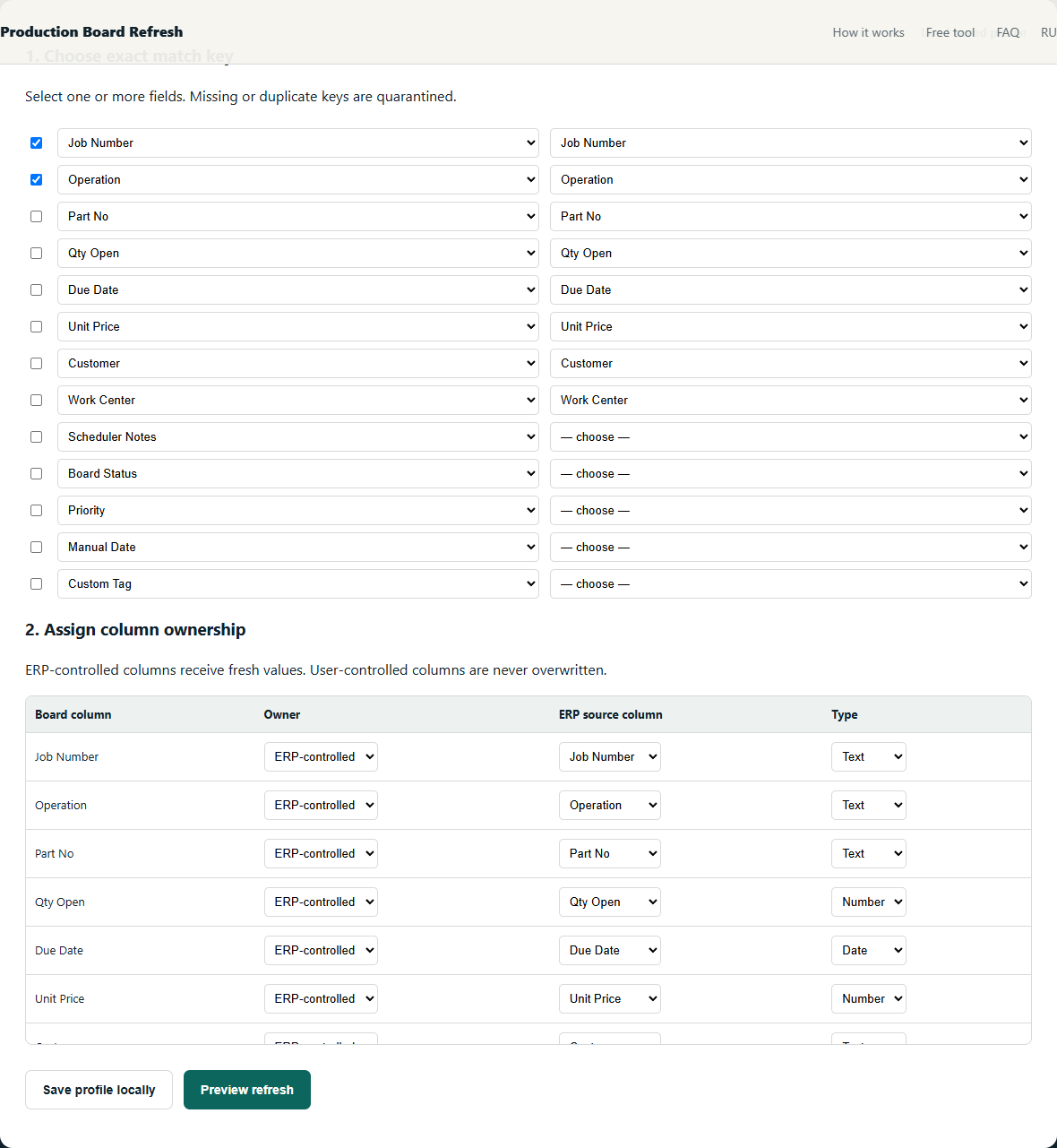
- Reuse the saved exact-key and column-ownership map.
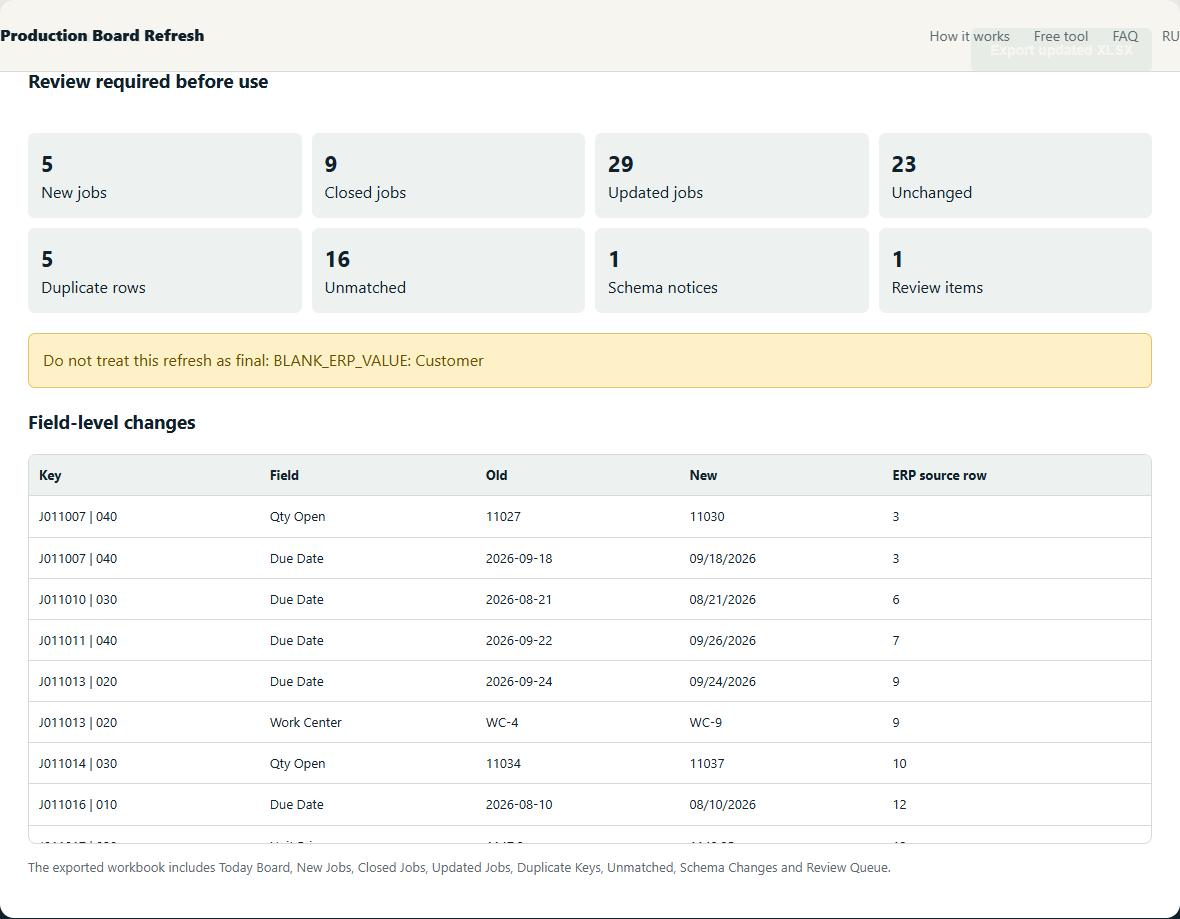
- Review schema changes, duplicates, missing IDs, new jobs and closed jobs.
- Export the updated board and retain the change sheets with the daily file.
Worked example
A saved profile maps 13 board columns. The daily review shows 3 updated jobs, 2 new jobs, 1 closed job and 1 duplicate key. The scheduler opens only the exception sheets before using the board.
Checks that prevent plausible-looking mistakes
- Revalidate the profile when the ERP export schema changes.
- Review exception sheets before treating the board as current.
- Archive the input files and change report together when an audit trail matters.
The objective is not to maximize automatic matches. It is to make every accepted match deterministic and route uncertainty to a short manual review.
What the review should show
Free alternatives
Power Query can implement this method with exact joins and anti-joins. It is the best free option when someone in the shop can build and maintain the query. The local beta packages the same safety decisions into one narrow workflow; it does not claim to support every ERP or custom workbook.
Further reading: source 1 · source 2
Related production-board guides
- Classify matched, new and closed jobs from an ERP export
- Prevent unsafe CSV merges with exact composite keys
Your production files stay on your device. The tool processes spreadsheets locally in your browser. We collect only anonymous usage events to evaluate the beta.