PRACTICAL EXCEL WORKFLOW
A safe CSV update workflow for an Excel production schedule
Check delimiters, data types, leading zeros and composite keys before merging a fresh production CSV into Excel.
CSV files carry values but not dependable Excel types. A production refresh can silently change 00125 to 125, reinterpret a date, or collapse several operations under one job number. Preflight comes before merge.
Safe method
- Open the CSV with an explicit delimiter and encoding.
- Load identifiers as text so leading zeros remain intact.
- Parse dates using the export’s declared format, not the computer locale.
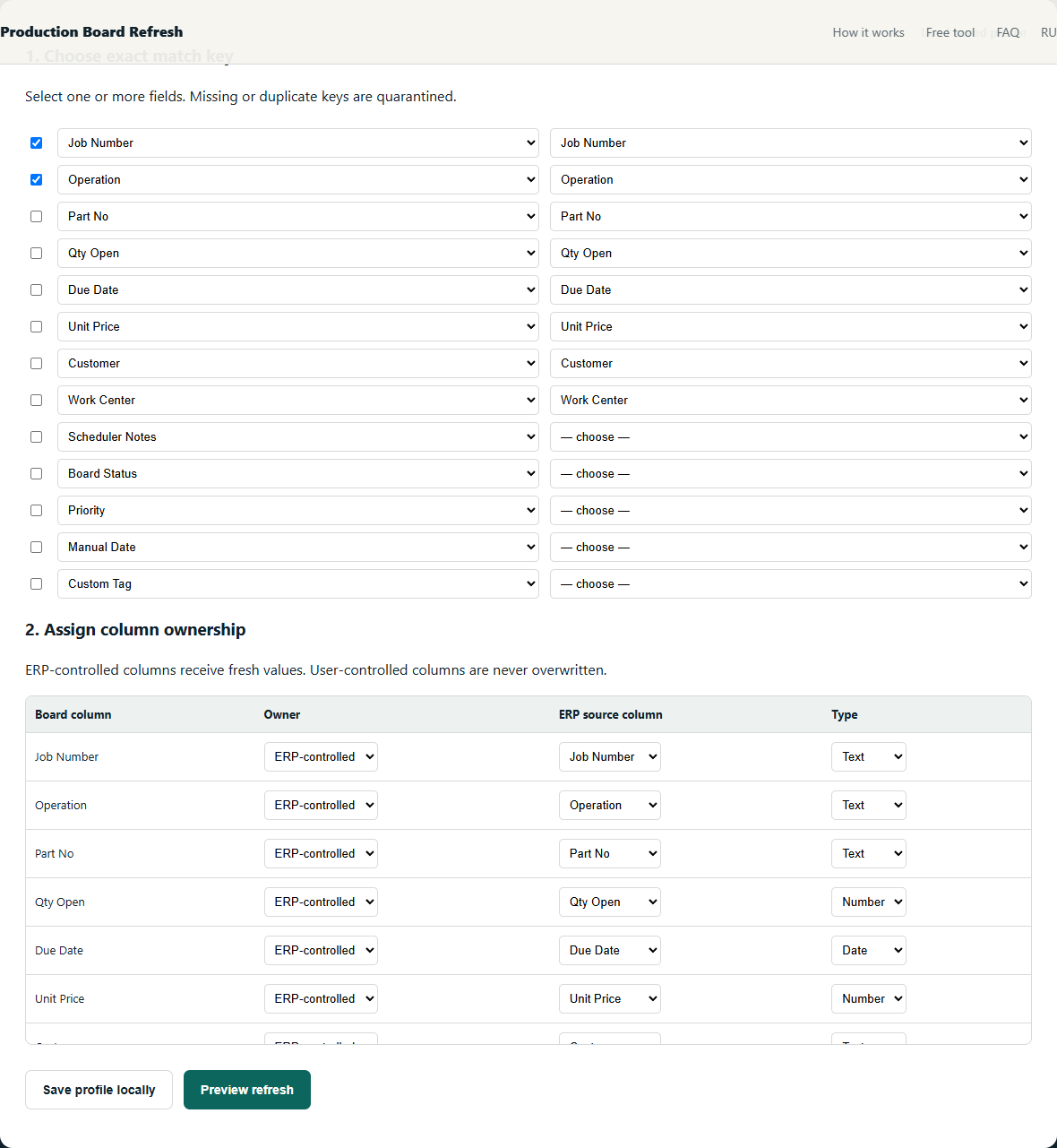
- Test whether Job Number is unique; add Operation or Line when needed.
- Compare the column schema with the saved mapping and stop on renamed or removed required fields.
Worked example
Job 00125 has CUT and WELD operations. Treating Job Number as numeric and matching on it alone creates both an ID change and a many-to-one merge. Text key 00125 + Operation keeps the rows distinct.
Checks that prevent plausible-looking mistakes
- Preserve leading zeros by loading identifiers as text.
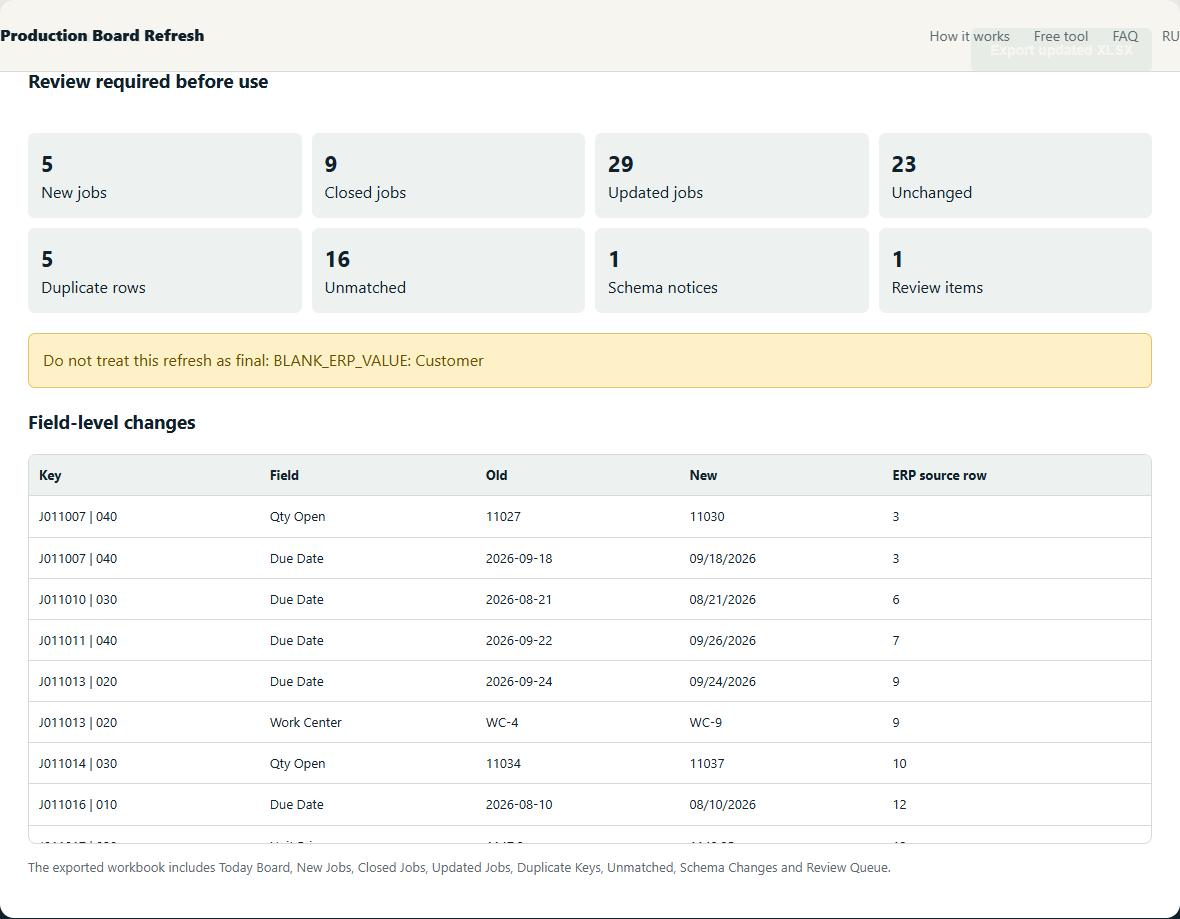
- Declare whether 08/09/2026 is August 9 or September 8 before refresh.
- Distinguish an intentionally blank value from a failed CSV parse.
The objective is not to maximize automatic matches. It is to make every accepted match deterministic and route uncertainty to a short manual review.
What the review should show
Free alternatives
Power Query can implement this method with exact joins and anti-joins. It is the best free option when someone in the shop can build and maintain the query. The local beta packages the same safety decisions into one narrow workflow; it does not claim to support every ERP or custom workbook.
Further reading: source 1 · source 2
Related production-board guides
- Map ERP-owned and scheduler-owned production fields
- Validate CSV types and schema before a daily refresh
Your production files stay on your device. The tool processes spreadsheets locally in your browser. We collect only anonymous usage events to evaluate the beta.