PRACTICAL EXCEL WORKFLOW
Turn an ERP open-jobs export into an updated Excel production board
Classify matched, new, closed and unsafe-to-match jobs before updating the board your shop already uses.
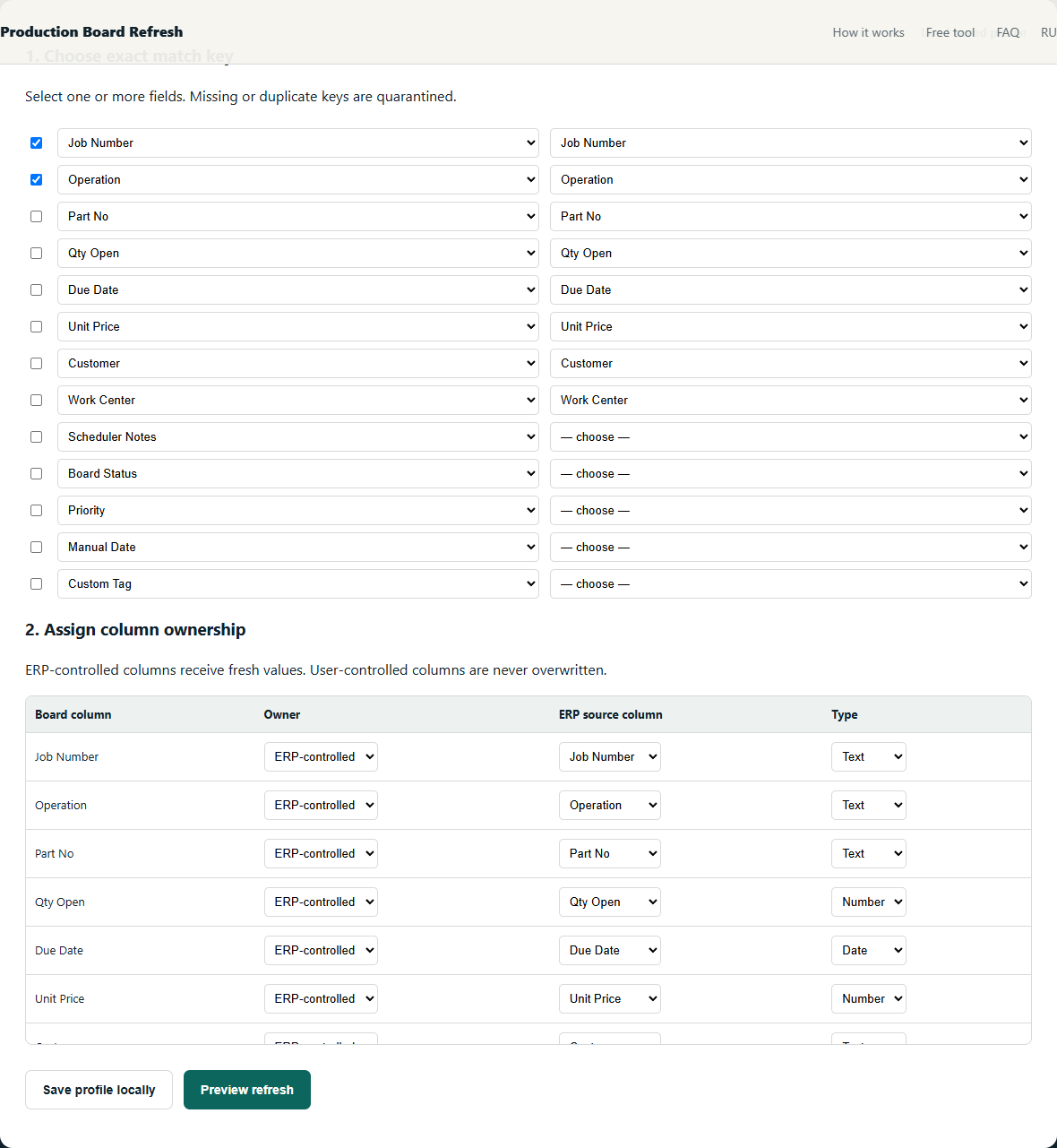
An open-jobs export is a current snapshot, not a change report. To update a board safely, compare today and yesterday as two sets instead of pasting one over the other.
Safe method
- Normalize only declared types such as ISO dates and numeric quantities.
- Build exact keys on both files and count their occurrences.
- Matched once on each side: update only ERP-owned fields.
- Today only: add to New Jobs with blank user fields.
- Yesterday only: move to Closed Jobs. Missing or repeated keys go to review.
Worked example
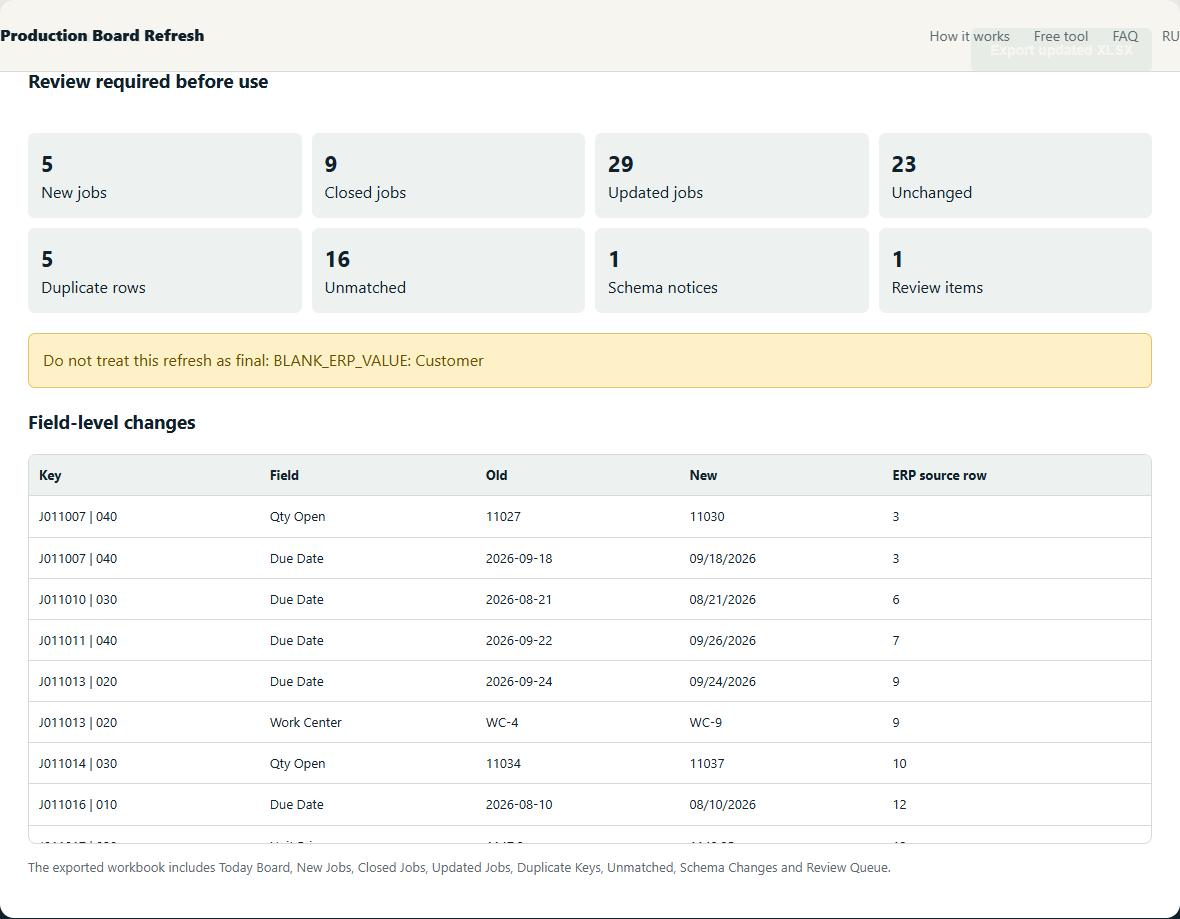
J-201 exists in both files and is updated. J-202 exists only today and becomes NEW. J-199 exists only yesterday and becomes CLOSED. Two J-205 rows are quarantined as DUPLICATE.
Checks that prevent plausible-looking mistakes
- A row missing today may be closed, filtered out, or exported incorrectly—keep it visible for review.
- A blank job ID is not a match candidate.
- A duplicate key is a data-quality exception, not permission to choose the first row.
The objective is not to maximize automatic matches. It is to make every accepted match deterministic and route uncertainty to a short manual review.
What the review should show
Free alternatives
Power Query can implement this method with exact joins and anti-joins. It is the best free option when someone in the shop can build and maintain the query. The local beta packages the same safety decisions into one narrow workflow; it does not claim to support every ERP or custom workbook.
Further reading: source 1 · source 2
Related production-board guides
- Build a repeatable daily manufacturing WIP refresh
- Keep scheduler notes attached to stable job identities
Your production files stay on your device. The tool processes spreadsheets locally in your browser. We collect only anonymous usage events to evaluate the beta.