PRACTICAL EXCEL WORKFLOW
How to update an Excel production schedule from an ERP export
A deterministic daily method for refreshing ERP-owned fields while preserving scheduler-owned notes, priority and status.
An ERP open-jobs export and a working production schedule have different owners. The export has current quantities and dates; the board contains today’s human decisions. Treating either file as a complete replacement loses useful information.
Safe method
- Copy yesterday’s board before any refresh.
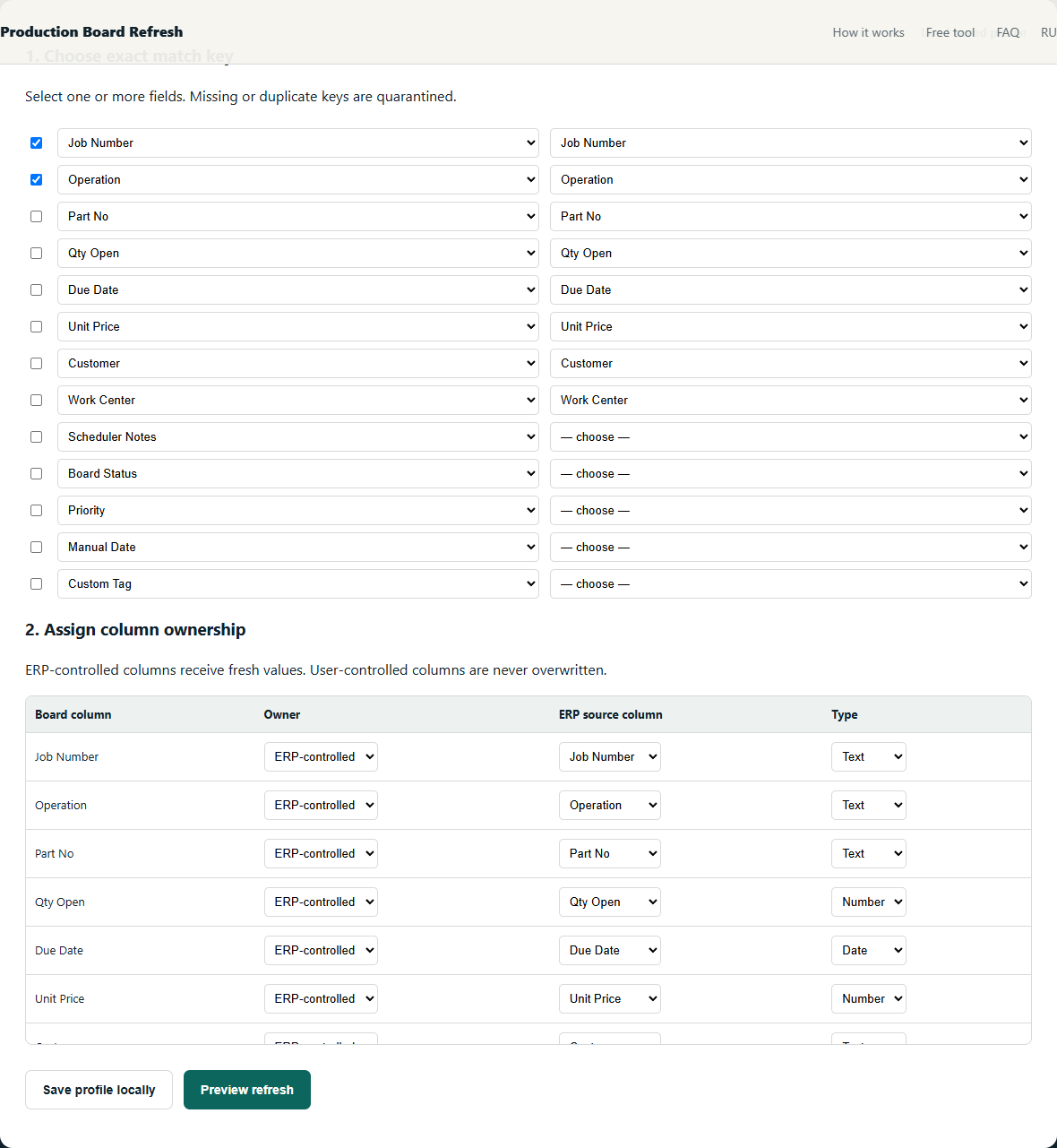
- Choose a stable job key; use Job Number + Operation when Job Number repeats.
- Mark quantity, due date and workcenter as ERP-owned. Mark notes, priority and manual dates as scheduler-owned.
- Reject blank or duplicate keys instead of choosing a row.
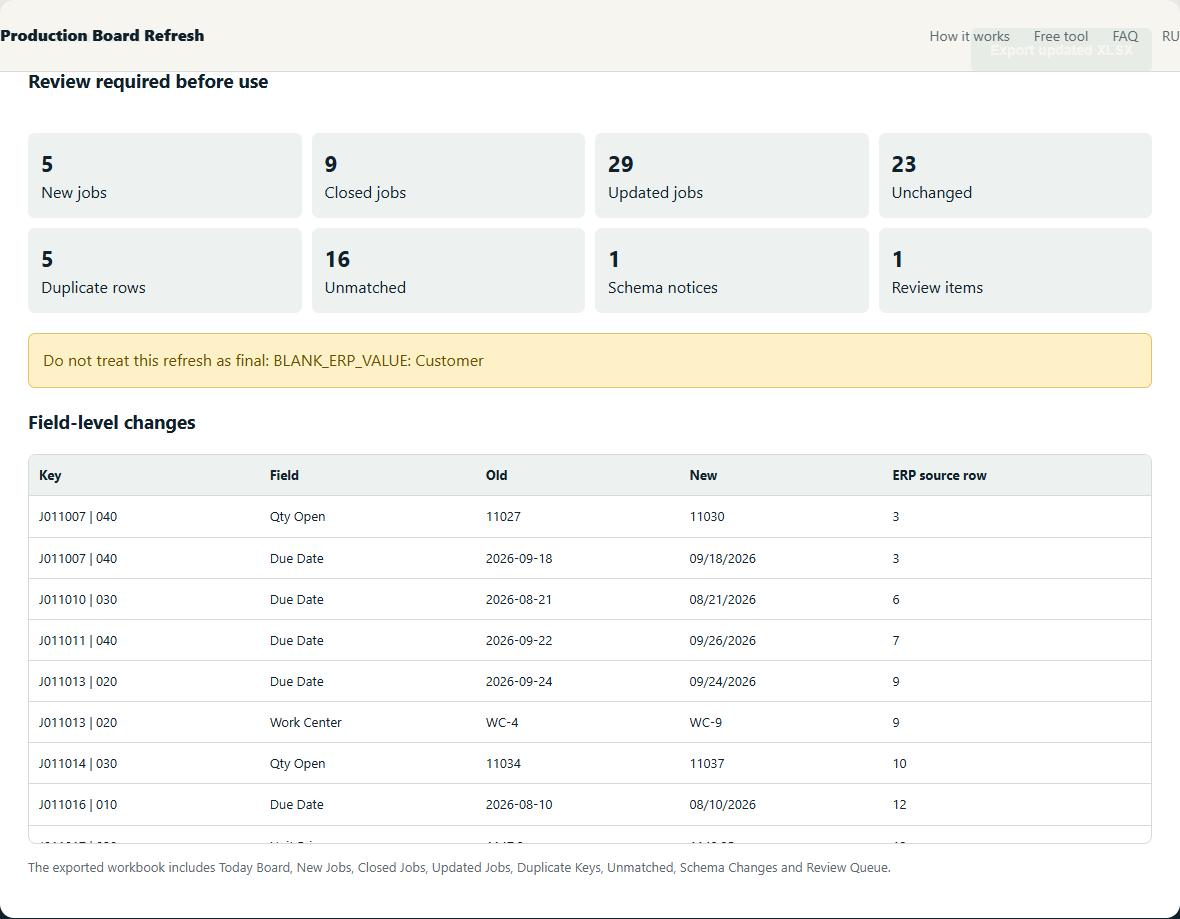
- Separate new, closed and matched jobs, then review field-level OLD → NEW values.
Worked example
Job 1042 / OP20 keeps the note ‘fixture waiting’ and priority 2. Its ERP quantity changes 80 → 64 and due date moves to 2026-08-14. Only the two ERP-owned cells change.
Checks that prevent plausible-looking mistakes
- Do not join on yesterday’s row number.
- Do not let a blank ERP value erase a scheduler field.
- Stop and review when a required export column is renamed or removed.
The objective is not to maximize automatic matches. It is to make every accepted match deterministic and route uncertainty to a short manual review.
What the review should show
Free alternatives
Power Query can implement this method with exact joins and anti-joins. It is the best free option when someone in the shop can build and maintain the query. The local beta packages the same safety decisions into one narrow workflow; it does not claim to support every ERP or custom workbook.
Further reading: source 1 · source 2
Related production-board guides
- Preserve scheduler notes when rows move during refresh
- Choose a safe Job Number + Operation composite key
Your production files stay on your device. The tool processes spreadsheets locally in your browser. We collect only anonymous usage events to evaluate the beta.